
Quick answer: use Google Search Console to see the queries your site already appears for, use a consistent Google rankings checker for keywords you specifically want to monitor, and use manual Google searches only as an occasional spot check. The most useful view comes from comparing ranking trends with impressions, clicks and enquiries rather than obsessing over one position number.
Why Googling yourself is not enough
The obvious way to check a ranking is to type a keyword into Google and see where your website appears. That can be useful, but it is only one version of the search results at one moment in time.
Google explains that results can vary because of factors such as location, language, device type, recent searches and personalisation. Local searches can vary even more because Google uses location to make nearby results more relevant.
That means you might see your website in position five while a potential customer in another town sees it lower, higher or in a different layout altogether. Incognito mode can reduce the influence of your browsing history, but it does not remove differences caused by location, device or the search itself.
Manual searches are therefore best treated as a quick sense check, not your main SEO measurement system.
Method 1: Check rankings in Google Search Console
For most business owners, Search Console is the best place to start because the data comes directly from Google. Its Performance report shows the queries that triggered your site, the pages that appeared, clicks, impressions, click-through rate and average position.
Open Search Console, choose your website and go to Performance → Search results. Turn on the Average position metric, then use the Queries tab to see the searches for which your site has appeared.
Search Console is especially useful because it often uncovers terms you were not deliberately tracking. A service page may be appearing for several closely related searches, or an article may already be getting impressions for a query that deserves stronger optimisation.

What does average position actually mean?
This is where ranking reports are often misunderstood. If Search Console says a query has an average position of 8.4, it does not mean your website permanently sits at number eight.
Google defines average position as the average position of the topmost result from your property across the impressions where it appeared. Your result might have been fifth for one search, tenth for another and seventh on a different device. Search Console averages those appearances.
Google also recommends paying close attention to changes over time rather than treating the absolute position as a perfect live rank. In its Search Console guidance, Google says it is generally better to focus on trends in impressions and clicks than on position alone.
Method 2: Use a rank checker for specific keywords
Search Console tells you what Google has already shown. A rank checker is useful when you want to monitor a defined list of commercial searches whether or not they are currently producing much Search Console data.
For example, a roofing company might want to track:
- roofer Cambridge
- roof repairs Cambridge
- flat roofing Cambridge
- emergency roofer Cambridge
Checking the same group consistently gives you a cleaner view of movement than typing different searches into Google every few days. You can try this with our free Google Rankings Checker, which lets you check up to five searches at a time.
The important word is consistently. The value is not in seeing a single number once; it is in seeing whether commercially useful keywords are generally moving in the right direction over weeks and months.
Which keywords should you track?
One of the easiest ways to make rank tracking meaningless is to choose keywords because they sound impressive rather than because they could bring business.
A local accountancy firm may never need to rank nationally for the single word “accountant”. Searches such as “small business accountant Suffolk” or “accountant Bury St Edmunds” may have lower volume but much stronger commercial intent.
A useful tracking list normally includes:
- Primary service keywords for the work you most want to sell.
- Location-based keywords where geography affects who can become a customer.
- High-intent variations such as “company”, “specialist”, “near me” or a specific service type where they reflect real searches.
- Supporting informational queries where content can introduce the right audience to the business.
Our keyword research guide explains the principle in more detail: relevance and search intent matter more than chasing the biggest number in a keyword tool.
Local rankings can change from one place to another
If your business depends on customers in a particular area, a single nationwide rank check can hide what is actually happening.
Google says it uses location to make search results more relevant. That is particularly important for searches such as “electrician near me”, “dentist” or “SEO company Norwich”, where the person searching from one part of a county may see a different local pack or ordering from somebody elsewhere.
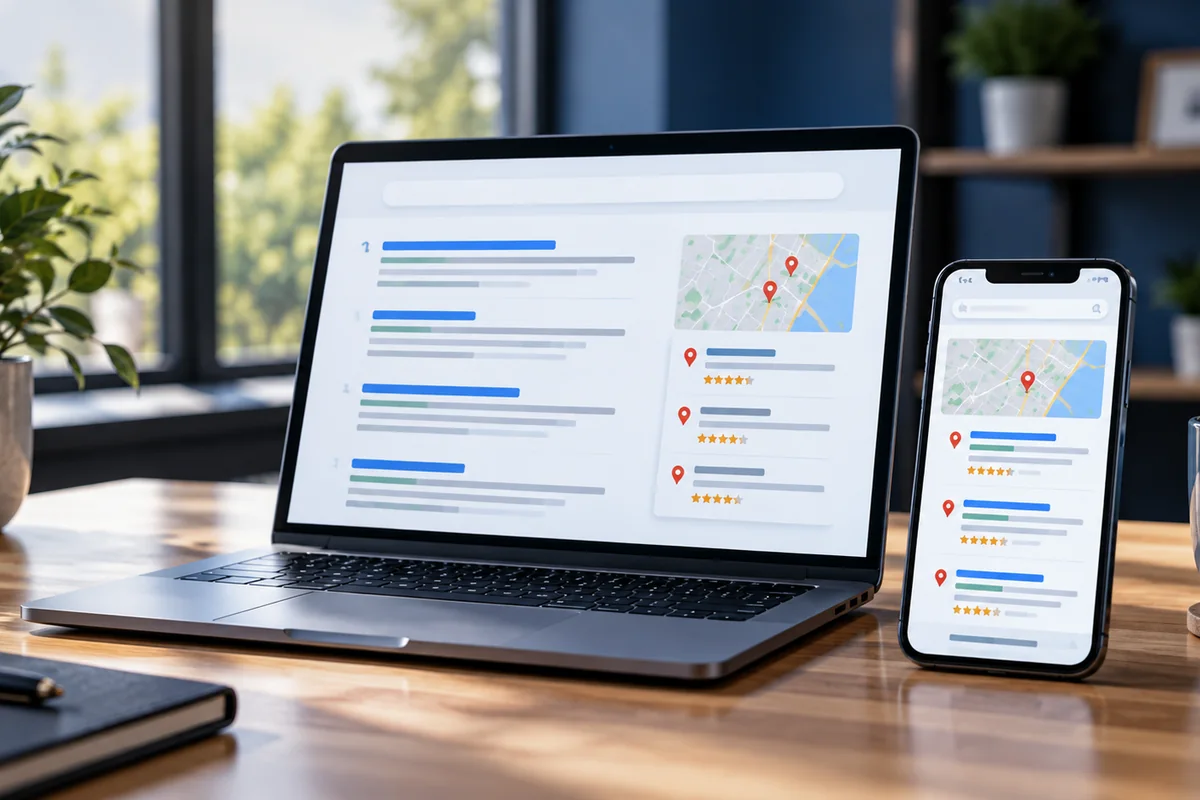
For a local business, monitor organic rankings alongside Google Business Profile visibility, reviews, location relevance and the strength of the pages supporting each service area. Our local SEO guide covers those signals in more detail.
Should you track mobile and desktop separately?
It can be useful, especially if most of your customers search on phones. Search Console lets you compare performance by device, and the same query can behave differently on mobile and desktop because the layout of the results page is not identical.
Do not create two completely separate SEO strategies just because one keyword is sixth on mobile and eighth on desktop. Instead, look for a pattern. If mobile visibility is consistently weaker across important pages, check mobile usability, page speed, content parity and whether key calls to action or navigation are harder to use on a smaller screen.
Separate branded searches from discovery searches
It is also worth separating searches for your business name from searches made by people who have not heard of you yet. Ranking first for your own brand is useful, but it does not tell you much about whether SEO is introducing the business to new potential customers.
For growth, pay close attention to non-branded queries such as a service plus a location, a problem the customer wants solved or a commercial phrase describing what you sell. Those are the searches that reveal whether the website is becoming more visible to people actively looking for a provider rather than simply trying to find a business they already know.
How often should you check Google rankings?
For most small businesses, weekly keyword tracking is more than enough, with a proper review each month. Checking every few hours usually creates noise rather than insight.
Rankings naturally move. A term dropping from fifth to seventh for a day is not automatically a problem, just as a one-day jump to third does not mean the SEO job is finished.
A useful monthly review should ask:
- Are more relevant searches triggering the website?
- Are important keywords showing sustained improvement?
- Are impressions and clicks increasing?
- Are the right landing pages gaining visibility?
- Is the extra visibility producing enquiries, calls or sales?
Those questions keep the focus on business value rather than turning SEO into a scoreboard.
What should you do if your rankings are low?
The answer depends on why the page is struggling. A page already sitting around positions 6–15 may need relatively focused improvements. A page nowhere near the first few pages may have a more fundamental relevance, quality, authority or technical problem.
Useful checks include:
- Does the page genuinely match what the searcher wants?
- Is the title and main heading clear about the service or topic?
- Does the page answer the query better than the current competing results?
- Do relevant pages internally link to it?
- Is Google able to crawl and index it correctly?
- Does the site have enough authority to compete for the term?
If the website cannot be found at all, start with our guide to why a website is not showing up on Google. If it is indexed but underperforming, a free SEO audit can help identify which issue is most likely to be holding it back.
Rankings matter, but targeted traffic matters more
A number-one ranking sounds impressive, but it is only valuable if the search is relevant and real people click through. A business can rank first for dozens of obscure terms and still receive almost no useful traffic.
The better question is not simply “what position am I?” It is:
Is the website becoming easier for the right potential customers to find?
That is why we combine tracked keywords with Search Console data, landing-page performance and actual business outcomes when assessing SEO. A smaller improvement across several commercially useful searches can be more valuable than a dramatic jump for one vanity keyword.
Check your Google rankings now
If you want a quick snapshot, use our free Rankings Checker. Enter your website and up to five searches that matter to your business.
If the results are lower than you expected, or you are not sure which keywords are actually worth targeting, we can look at the wider picture for you. Our free SEO audit reviews the website and highlights the areas most likely to improve visibility.
Want more of the right people to find your business?
Our free SEO audit shows where your website stands and what we would prioritise first.
Get a free SEO audit →